Administration
GuideAdd a model provider
Connect OpenAI, Anthropic, OpenRouter, Azure OpenAI or another OpenAI-compatible endpoint with your own key, and choose which models agents use.
At the end of this guide your workspace can use models from a provider you pay directly, with your own API key, beside or instead of the models that came with it. You can add OpenAI, Anthropic (Claude), OpenRouter, Azure OpenAI deployments, or any other OpenAI-compatible endpoint as a Custom provider. An administrator with permission to create LLM providers can do it.
Note
Bringing your own provider depends on your plan; see Pricing. When your plan does not include it, Add provider is not offered, and the Models tab explains why.
Before you begin
- A Volobox account with permission to create LLM providers.
- An API key from the provider. For Azure OpenAI, your resource endpoint, an API key and the names of the deployments you already created in Azure.
- The key stored in a secret scope, or permission to create a scope or key from the provider form.
Add OpenAI, Anthropic or OpenRouter
- Open Admin on the left activity rail, then Settings, and in Organization Settings open AI, then Models.
- Select Add provider.
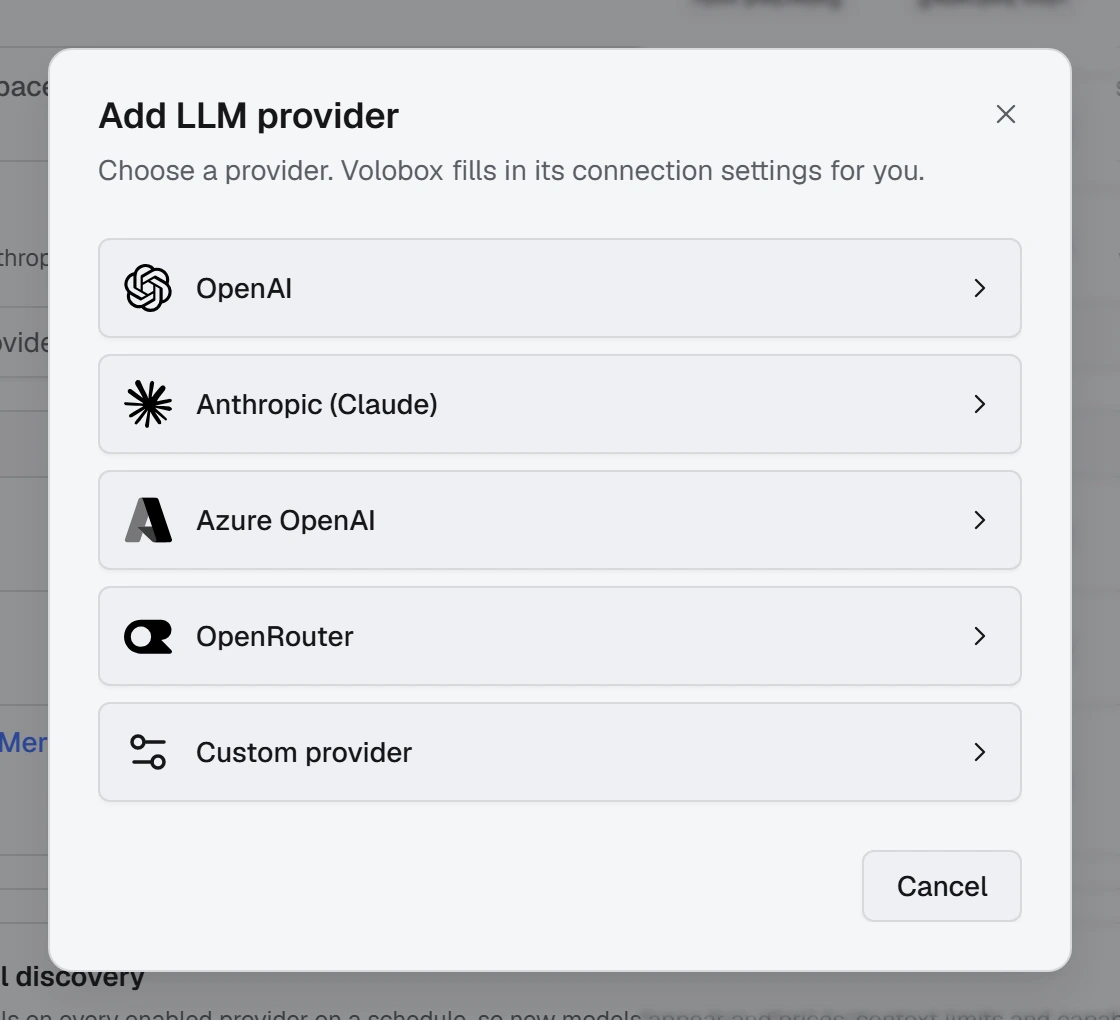
- Choose OpenAI, Anthropic (Claude) or OpenRouter from the list. Volobox fills in the endpoint for you. You can change the display name.
- Select the Secret scope and Secret key that hold your API key. To store a new key without leaving the form, use Add new beside either picker.
- Select Create. The provider's Models tab opens.
- Select Discover models to load the provider's models, then turn on the ones your agents should use.
Tip
For OpenRouter, keep each discovered model ID unchanged, such as anthropic/.... Coding sessions rely on it to route the model through OpenRouter.
Add an Azure OpenAI deployment
-
In AI, Models, select Add provider and choose Azure OpenAI.
-
Enter your resource endpoint and API key, or select an existing secret. The endpoint looks like one of these; Volobox adds the API path itself:
Texthttps://my-resource.openai.azure.com https://my-resource.services.ai.azure.com -
Save, then select Add deployment on the Models tab.
-
Enter the exact deployment name from Azure, which can differ from the underlying model name. This registers a deployment you already have; it does not create one in Azure.
-
Select the API your deployment supports: Responses API, Chat Completions or Embeddings. Turn on image support only if the model supports it.
Note
Azure uses deployment names instead of Discover models. This flow works with public Azure endpoints and API keys; Microsoft Entra ID and managed identity authentication are not supported here.
Add another OpenAI-compatible endpoint
- In AI, Models, select Add provider and choose Custom provider.
- Enter its connection settings. Choose No credentials required for an endpoint that needs no key; otherwise select the secret that holds it.
- Select Create, then Discover models on the Models tab.
Advanced provider options stay editable on the provider's Connection tab after you create it. A blank Base URL uses the OpenAI endpoint, not a provider-specific default.
Check that it works
- In the provider list, open the provider's action menu and select Test connection. It checks that Volobox can reach the provider's model catalog.
- For an Azure deployment, select Test deployment. It sends a small request that the provider bills, and confirms the deployment can answer. Test connection alone does not prove that.
- The models you turned on appear in the model pickers in agent chats and coding sessions.
Troubleshooting
| Symptom | Fix |
|---|---|
| Add provider is not offered | Your plan does not include your own providers, or you lack permission to create LLM providers. See Pricing. |
| A provider is marked Paused by plan | It was added on an earlier plan. Its settings, models and prices are kept; it comes back as it was when the plan includes your own providers again. |
| Discover models is missing for Azure OpenAI | Azure lists only the deployments you add. Use Add deployment with the exact deployment name. |
| Test connection passes but an Azure model does not answer | Test connection checks the catalog only. Use Test deployment, and check the deployment name and the API you selected. |
| A model has no cost estimate in reports | Prices are not needed to use a model. To get estimates for providers that do not publish prices, such as Anthropic, enter them on the Model prices tab. |